
Getting started
shipdoc checks the paperwork that arrives in a shipping-documentation inbox. For each email it decides what kind of email it is, and for emails that ask someone to check a draft Bill of Lading (BL) against the customer's Shipping Instruction (SI) it compares seven fields and tells you exactly which ones differ. Anything it cannot decide goes to a person as Needs review, with the reason.
Try it in two minutes
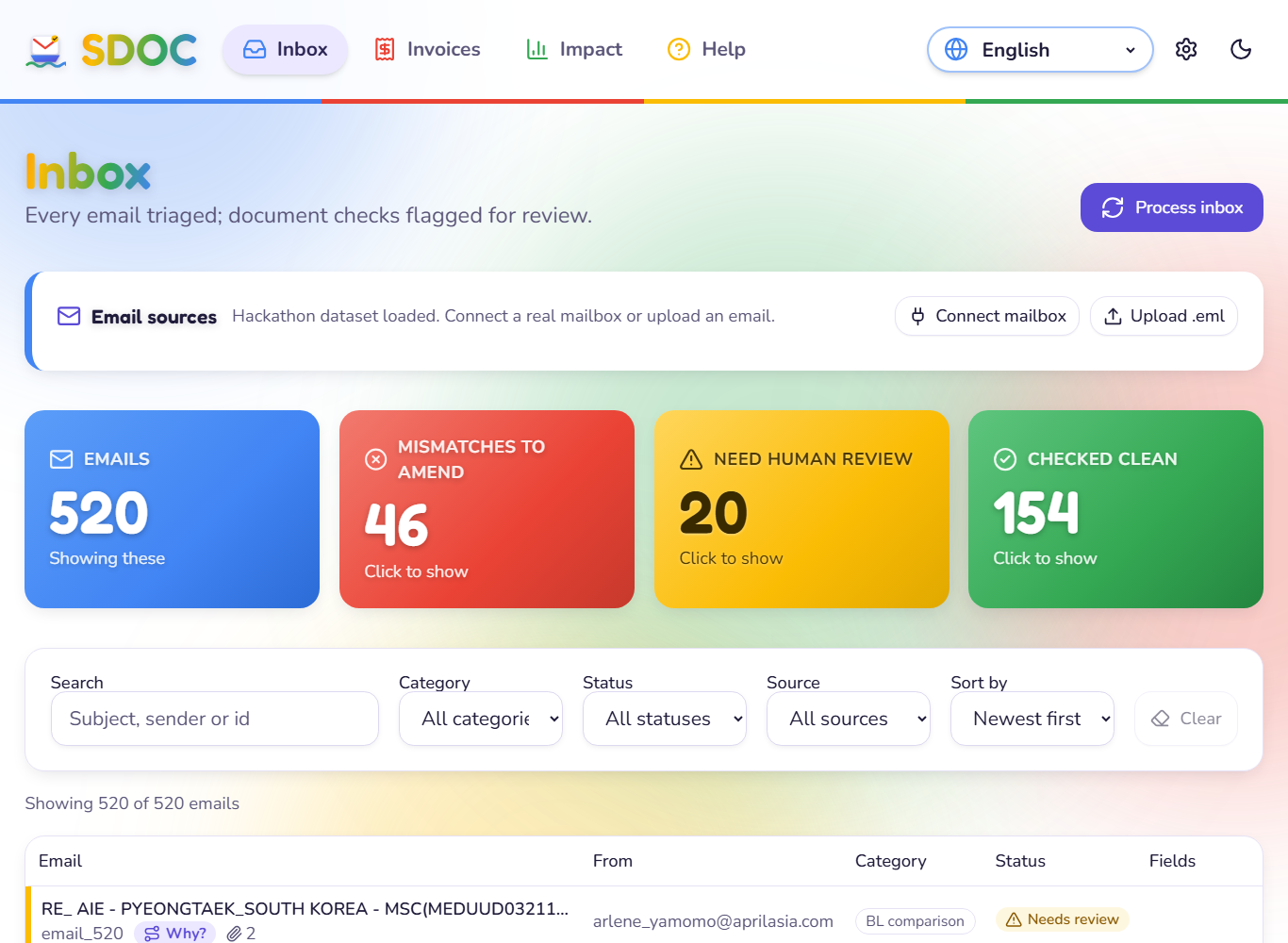
- Open shipdoc.org. The inbox shows the 520 emails of the hackathon dataset (synthetic data provided by the organisers). The first load after a quiet period can take a few seconds. If the counts show zero, click Process inbox.
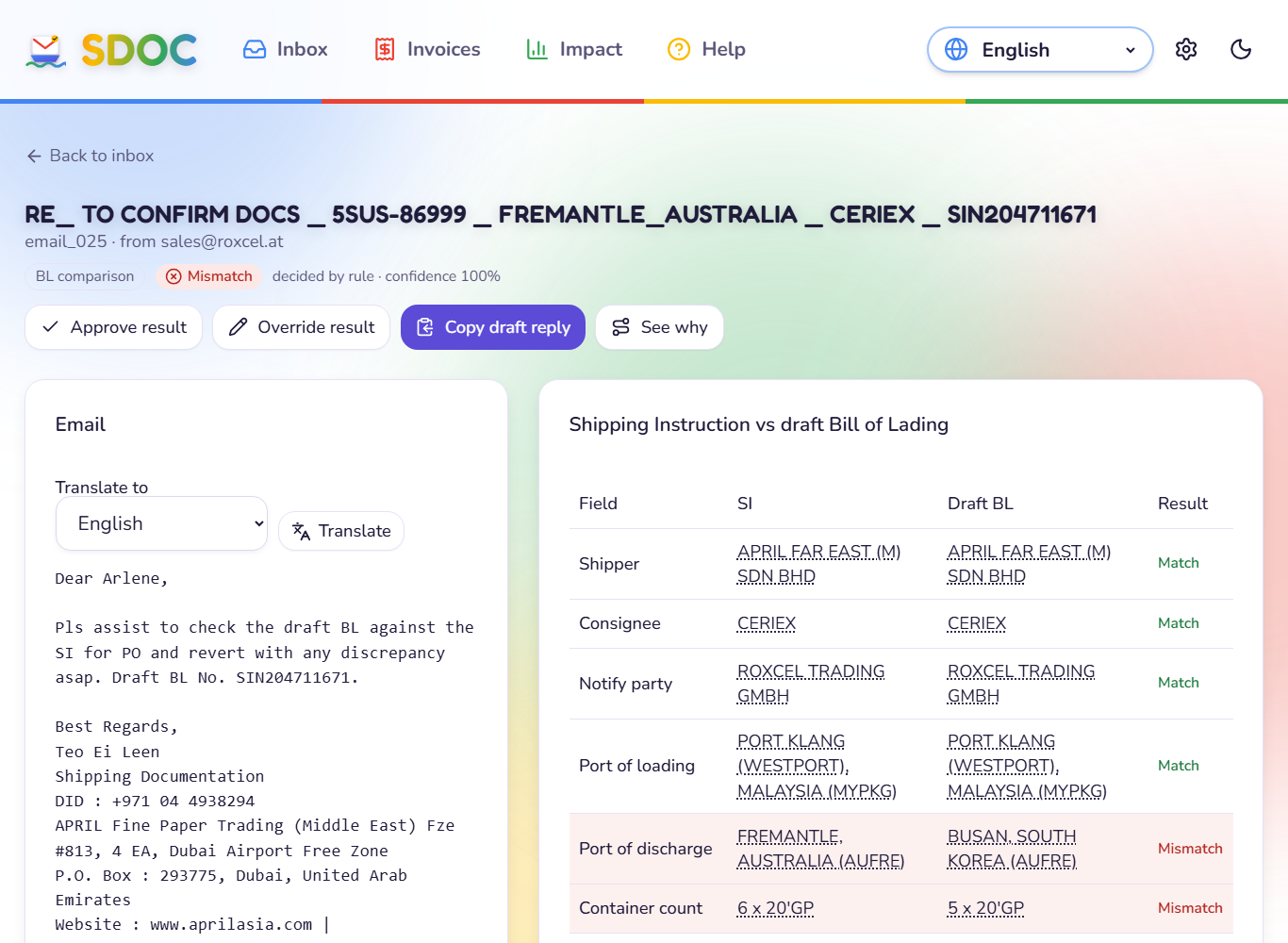
- Click the red Mismatches to amend tile, then open one email. The Compare screen shows the SI and the BL side by side, with the differing fields highlighted. Hover any value to see the line it was read from.
- Click Why? on any email for the full trail: which words classified it, each safety check, what each attachment was detected as, and how the final call was made.
Bring your own email
| You want to | Do this |
|---|---|
| See it work in ten seconds | Help → Run this sample. Three samples ship with the app |
| Try a specific situation | Download a file from Test emails and use Upload .eml |
| Use a real mailbox | Connect mailbox, with an App Password. See the user guide |
| Use it on a phone | Install the Android app |
Use test data on the public demo
The live demo has one shared workspace: an email you upload or a mailbox you connect can be seen by other visitors. Use a throwaway mailbox and do not upload real customer emails to it. Private workspaces are on the roadmap. See Privacy and data handling.
What you see
| Status | Meaning |
|---|---|
| OK | Nothing to fix. The documents match, or there was nothing to compare |
| Mismatch | The BL differs from the SI. The exact fields are named and an amendment email is drafted |
| Needs review | shipdoc will not guess. A person decides, and the reason is shown |
The full list of categories, statuses and reasons is in Categories, statuses and reasons.
Where next
- User guide: every screen and how to connect a mailbox
- How shipdoc decides: the pipeline, stage by stage
- API reference: use the pipeline from your own code
- Run it locally or deploy it on AWS